
Your first search in CercaPosta
In this tutorial you will find a familiar message, narrow the results and open the original document. The exercise uses CercaPosta’s classic search: it does not require AI chat or semantic indexing. By the end, you will have followed the path from the search box to a source you can inspect.
Before you begin
Sign in to the web client. You need at least one message already acquired and indexed, in your archive or a shared folder you can access. Choose a familiar email and note a distinctive word from its subject and the sender’s address.
If you see “Your archive is empty”, connect a source or import an archive first.
1. Find a familiar word
Enter the word you noted in the search box and run the search. You should see messages containing it in searchable fields. If the expected message is missing, check that it has been acquired and that no previous filters remain.
2. Narrow the search to a sender
Add from: followed by the sender’s real address. For example, the query format is from:supplier@example.test contract: replace both values with information from your email. The address in this example is fictional.
The filter appears among the applied criteria. Results now match that sender and the search text. You can also open the filter form using the sliders icon in the search toolbar.
3. Open the message and attachment
Select the familiar result. Check the subject, sender, date and body in the reader. If it has an attachment, open it from the attachment list: inspect the original document, not just its filename.
4. Repeat without the filter
Remove the sender filter and repeat the search. Notice how the list changes. You have checked how a criterion narrows the scope and how to return to a broader search without modifying archived messages.
Watch a complete search
This recording uses the David Demo demonstration account, containing 5,000 fictional emails. Follow the steps in the video; in your own archive, replace these codes with references from your messages.
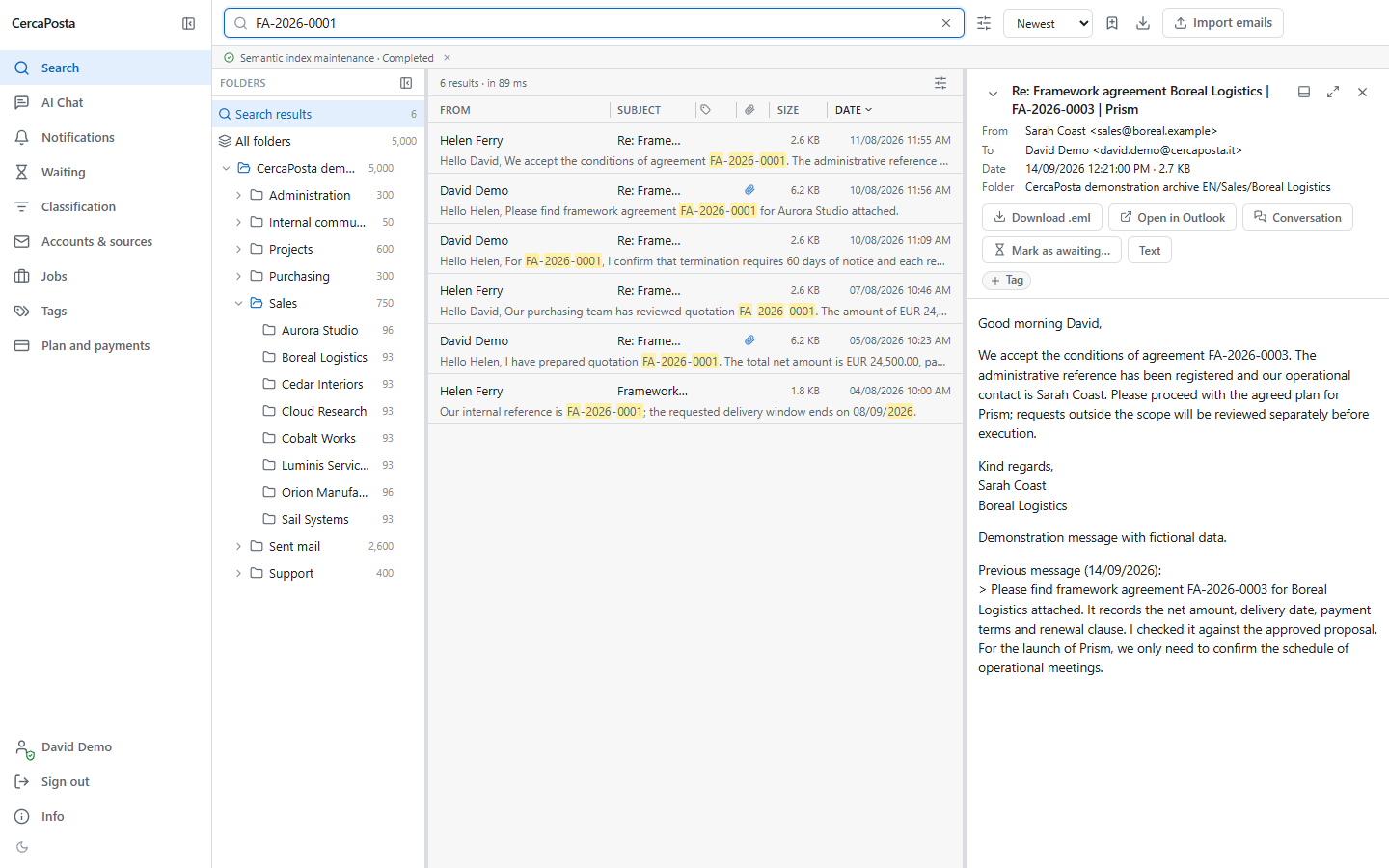
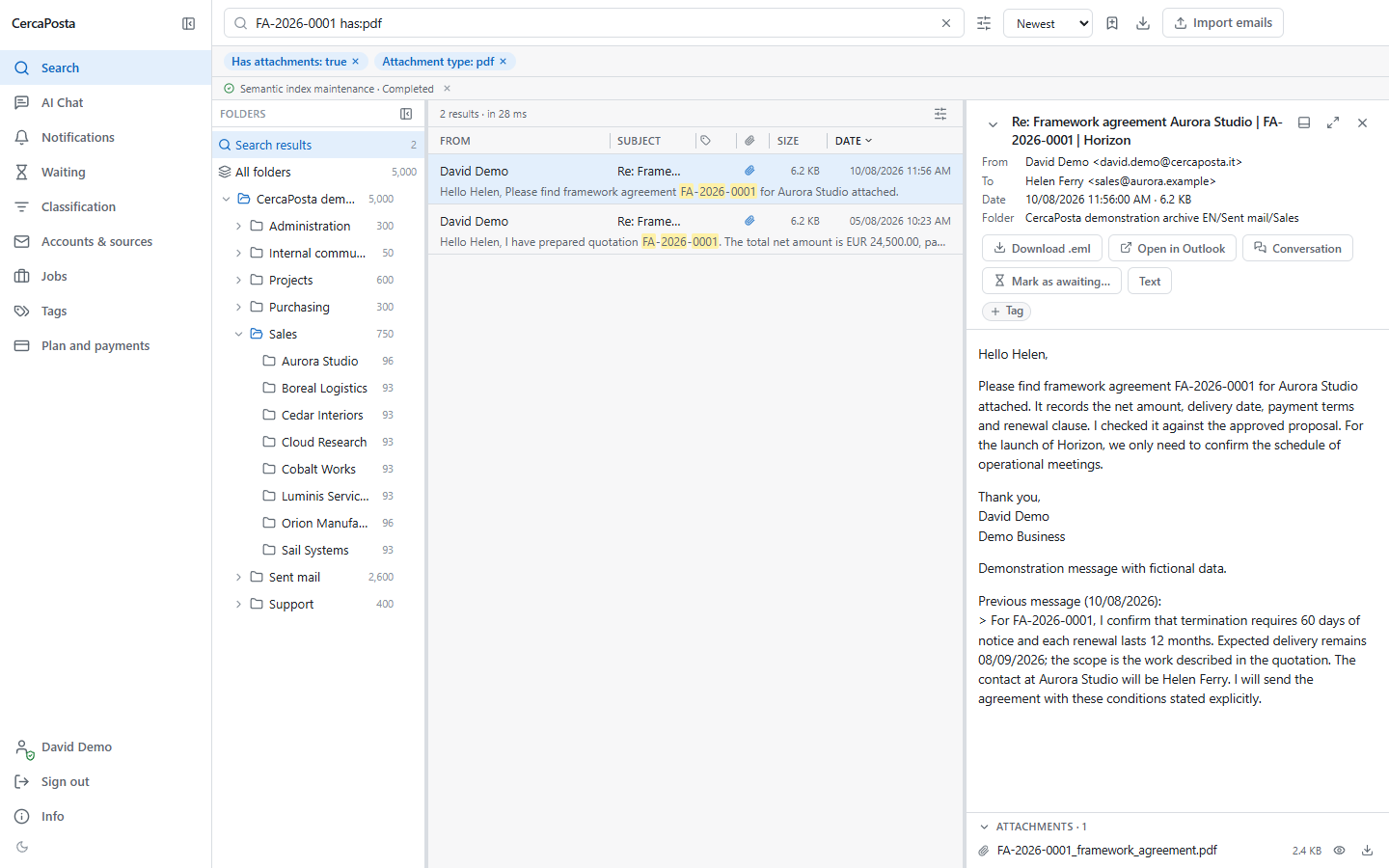
- Search for
FA-2026-0001: the demo archive returns six messages about the Aurora Studio agreement. - Add
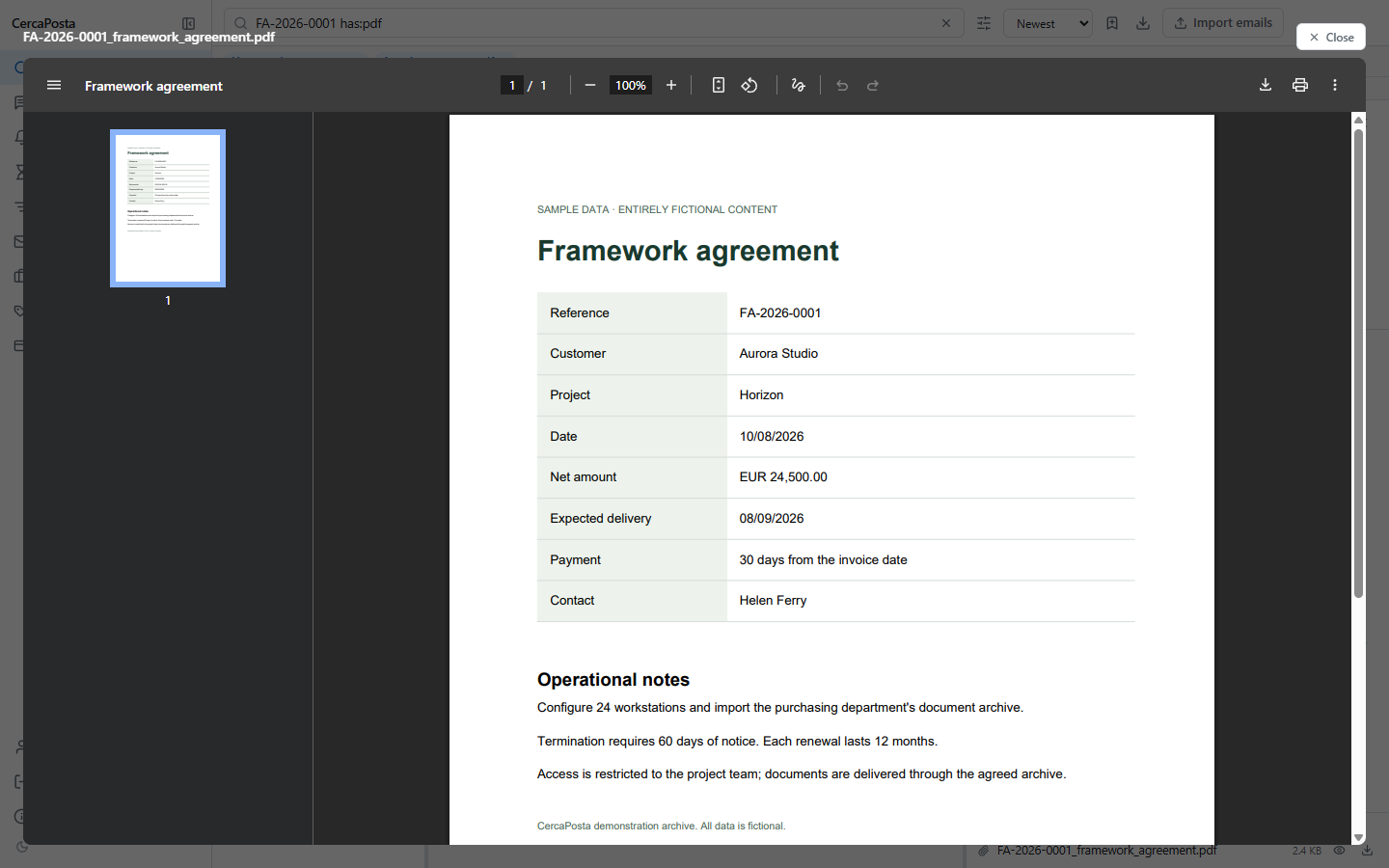
has:pdf: two messages with PDF attachments remain. - Open the message dated 10 August 2026 and preview
FA-2026-0001_framework_agreement.pdf. - Read the amount, delivery date and renewal clause in the document: 60 days of notice and 12 months for each renewal.
Read the video transcript
With CercaPosta, you can find an agreement and open the original document.
Enter the agreement reference in the search box.
Six matching messages appear.
Add the PDF attachment filter to narrow the results down to two.
Open the message dated the tenth of August, then select the attachment preview.
The agreement specifies sixty days of notice and a twelve-month renewal.
View screenshots of the steps
Next step
Consult the search operators or try your first AI answer with sources.