Why the archive is not a mailbox mirror
CercaPosta retains acquired messages even when they are no longer in the source mailbox. Synchronisation adds new emails and updates the origins of recognised messages; it does not automatically repeat every mailbox deletion in the archive. This distinction explains why you can find an old email after reorganising your mailbox.
Acquisition and incremental synchronisation
The first pass acquires messages within the configured scope. Later passes resume from connector state to look for changes without unnecessarily rereading the entire history. Timing and progress depend on volume, the email server and service limits.
The archive cannot retain a message it never acquired. An email deleted before the first pass, or in an excluded folder, does not become available simply because you connected the mailbox.
One message, multiple origins
Deduplication recognises messages already acquired. If it finds a known email in another source or location, it can add that origin instead of creating a new content copy. This is why examined-item and new-message counters do not necessarily match.
The user can also configure archive placement. Mailbox paths and those shown in CercaPosta do not need to be identical: a destination or routing rule can organise them differently.
Deleting from the mailbox does not delete from the archive
Scroll the table horizontally to read every column.
| Source event | Consequence to consider |
|---|---|
| A new email arrives | It can be acquired on a later pass if within scope |
| An acquired email is deleted | The archived copy remains |
| A message appears in another location | Deduplication can recognise it and add the origin |
| A folder path changes | Recheck exclusions and path-based rules |
Reorganising archive folders is separate from changing the mailbox. Do not use source deletions as a procedure for removing data from CercaPosta.
Archives and backups have different purposes
An archive supports reading and searching content. A backup supports restoring a system or its data after a problem. An archive also needs backups and a recovery procedure appropriate to the chosen deployment.
The organisation must define archive retention and deletion policies. Consult the privacy policy for data-processing roles and practices. For connector-specific behaviour, including the POP3 option, see sources and formats.
Folders in the demonstration archive
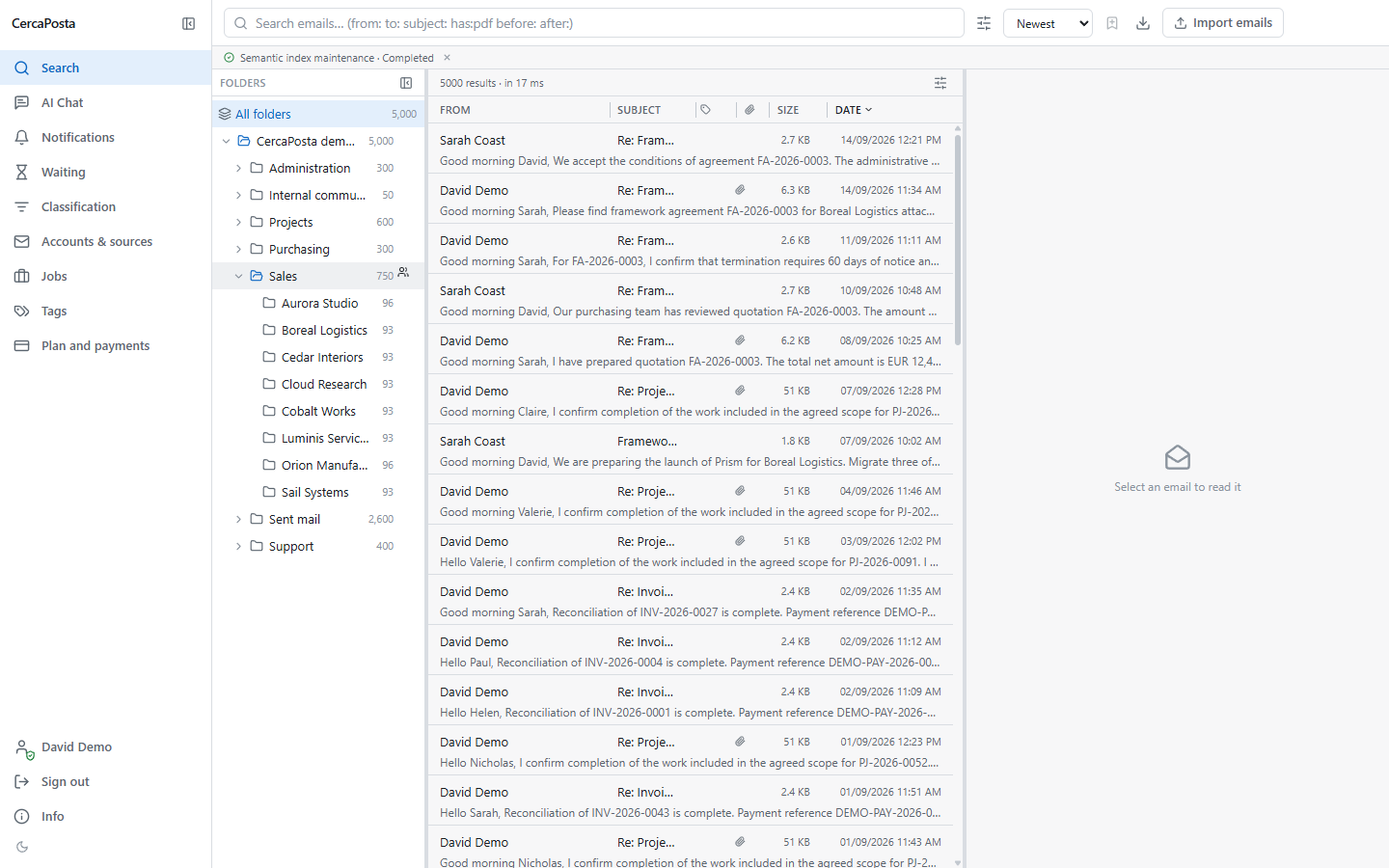
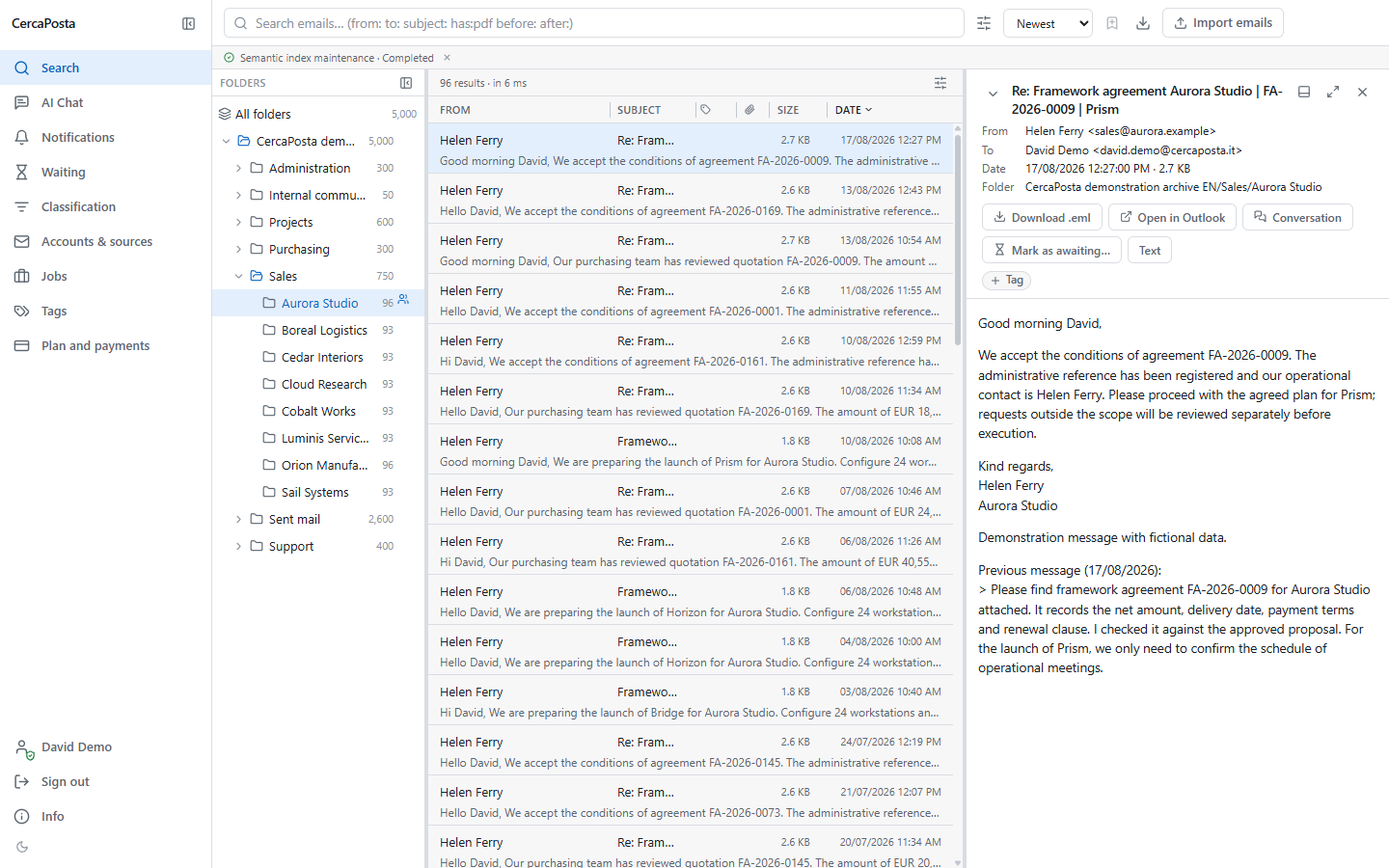
This recording shows the structure created by importing the demo PST: All folders contains 5,000 messages; Sales contains 750 and its Aurora Studio subfolder contains 96. Changing folders narrows the list being viewed without moving messages. The video moves from all folders to the customer folder, then Sales, and back to the complete archive.
These counts refer to this synthetic structure. The recording illustrates folder browsing, not synchronisation with an external mailbox.
Read the video transcript
In CercaPosta, All folders brings together the five thousand messages in the archive.
Open the customer folder to see the ninety-six messages for Aurora Studio.
Select Sales to expand the view to the department’s seven hundred and fifty messages.
Return to All folders. This changes the search scope without moving any emails.
View screenshots of the steps