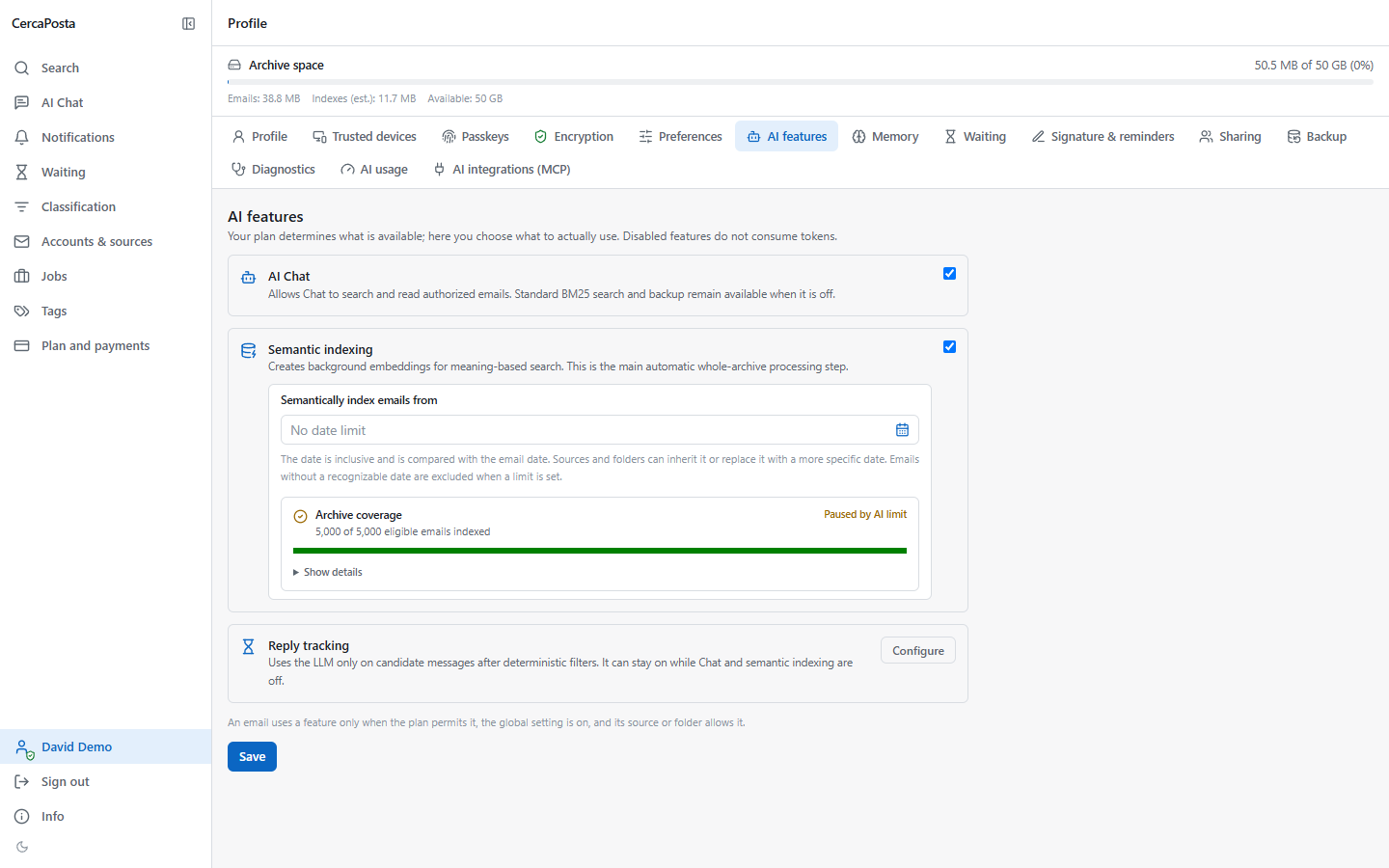
Choose which emails AI can use
In CercaPosta you can control AI chat, semantic indexing and reply tracking separately. Your plan determines available features; personal preferences and source or folder rules determine which content they can use. Classic search continues to work with both chat and semantic indexing disabled.
Change personal preferences
- In the web client, open Profile → AI features.
- Choose whether to enable AI chat and semantic indexing. These are separate controls: enabling one does not mean everything is enabled.
- You can set a starting date for semantic indexing to limit the period processed.
- Check reply tracking separately in its configuration.
New accounts start with chat and semantic indexing disabled. If the interface says a feature is unavailable, the cause may be the plan or installation configuration as well as your preferences.
Restrict sources and folders
In the source’s AI configuration, choose whether each feature inherits global preferences, is enabled or is disabled. You can define folder rules; the most specific matching rule takes precedence. Check whether the rule also includes subfolders.
The Archive and BM25 only preset excludes chat, semantic indexing and reply tracking for that scope. BM25 here means classic text search. Reply tracking only keeps only follow-up analysis, within the limits of your plan and global preferences.
Manage messages already acquired
When enabling a feature, check the option to apply it to already archived emails: enabling a feature is not the same as automatically reprocessing all history. Changing the semantic starting date, however, updates the existing index scope and may start processing work.
When disabling semantic indexing, you can also choose to delete semantic data already generated. This does not delete original emails or the classic search index, but it changes the availability of semantic search.
Check the outcome
Wait for any job to finish and check a representative message. If the same email comes from several sources, a feature may use it when at least one origin authorises it. To exclude it, check all applicable origins.
Consult Profile → AI usage for recorded consumption. To understand the relationship between retrieval and generation, read how AI uses sources.
Identify the profile controls
The screenshot shows Profile → AI features in the demonstration account. Both AI Chat and semantic indexing are enabled for this account; this is the demo configuration, not the initial setting for every user. Choose the appropriate scope before saving and check any resulting jobs.